How to register a chemical and get its SDS in YakProject
Every hazardous product on site needs a current safety data sheet before it is approved for use. Registering it once records what it is, why it is on the job and how much may be stored, and finds the SDS in the shared library or asks for it to be found.
Before you start
- A member who can manage chemicals on the job
Preview voice Narrated with a local preview voice; the final recording replaces it.
Transcript
Register a chemical once in YakProject, and its safety data sheet is found or requested for you.
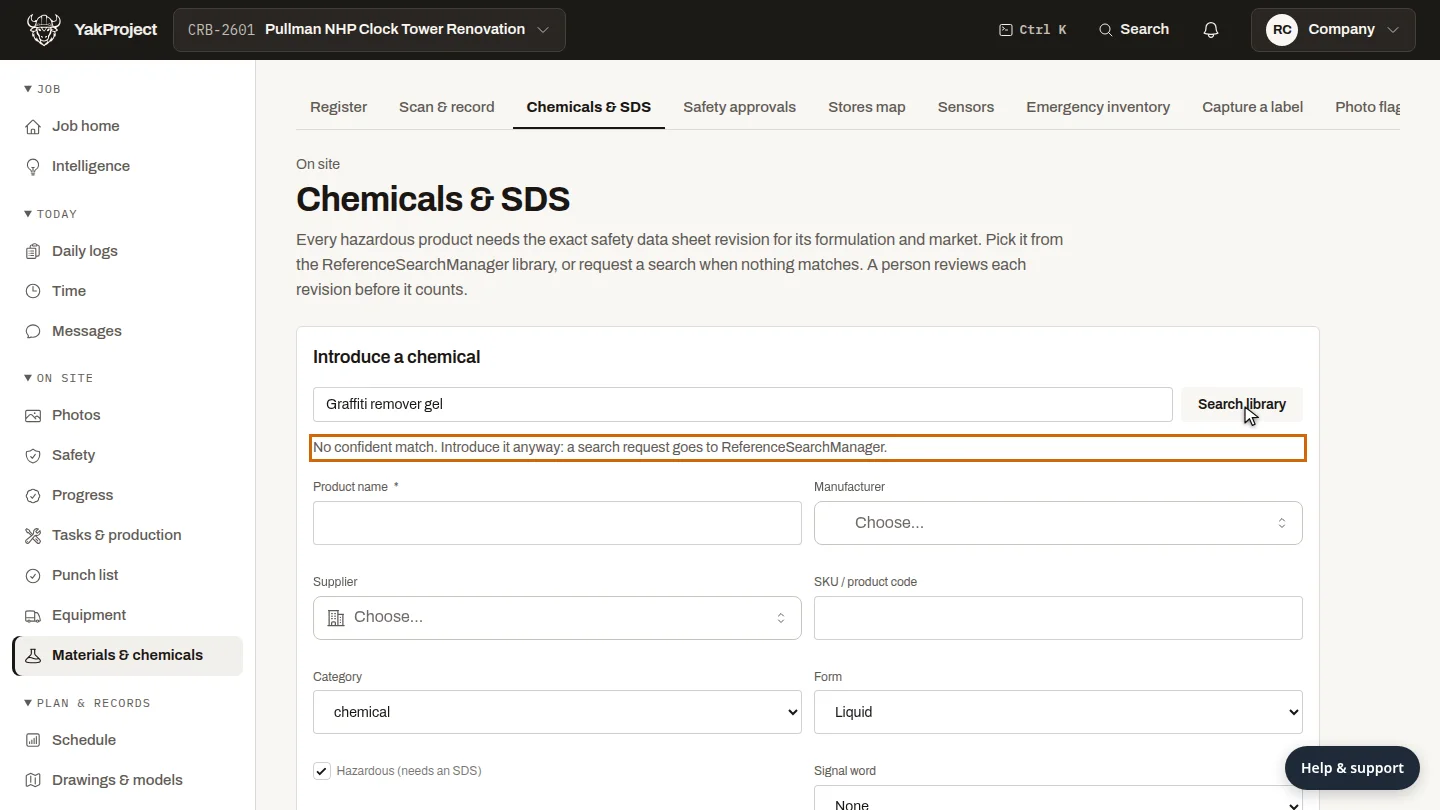
On Chemicals and SDS, search the shared library by name, manufacturer, SKU or CAS number, and pick the exact revision if it's there. Here, nothing matches.
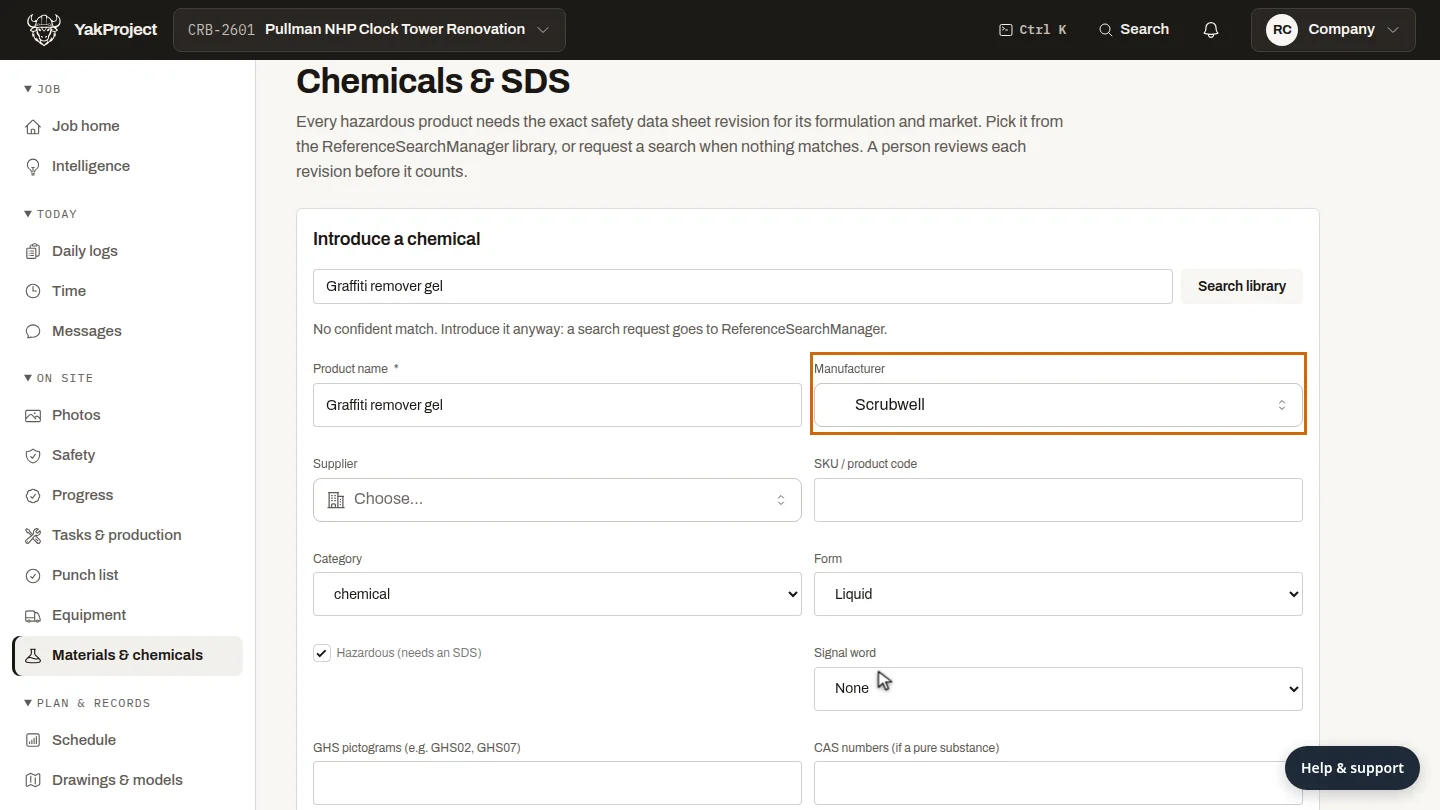
Enter the product name, and choose the manufacturer, adding it if it's new. Leave Hazardous on for anything with a hazard label.
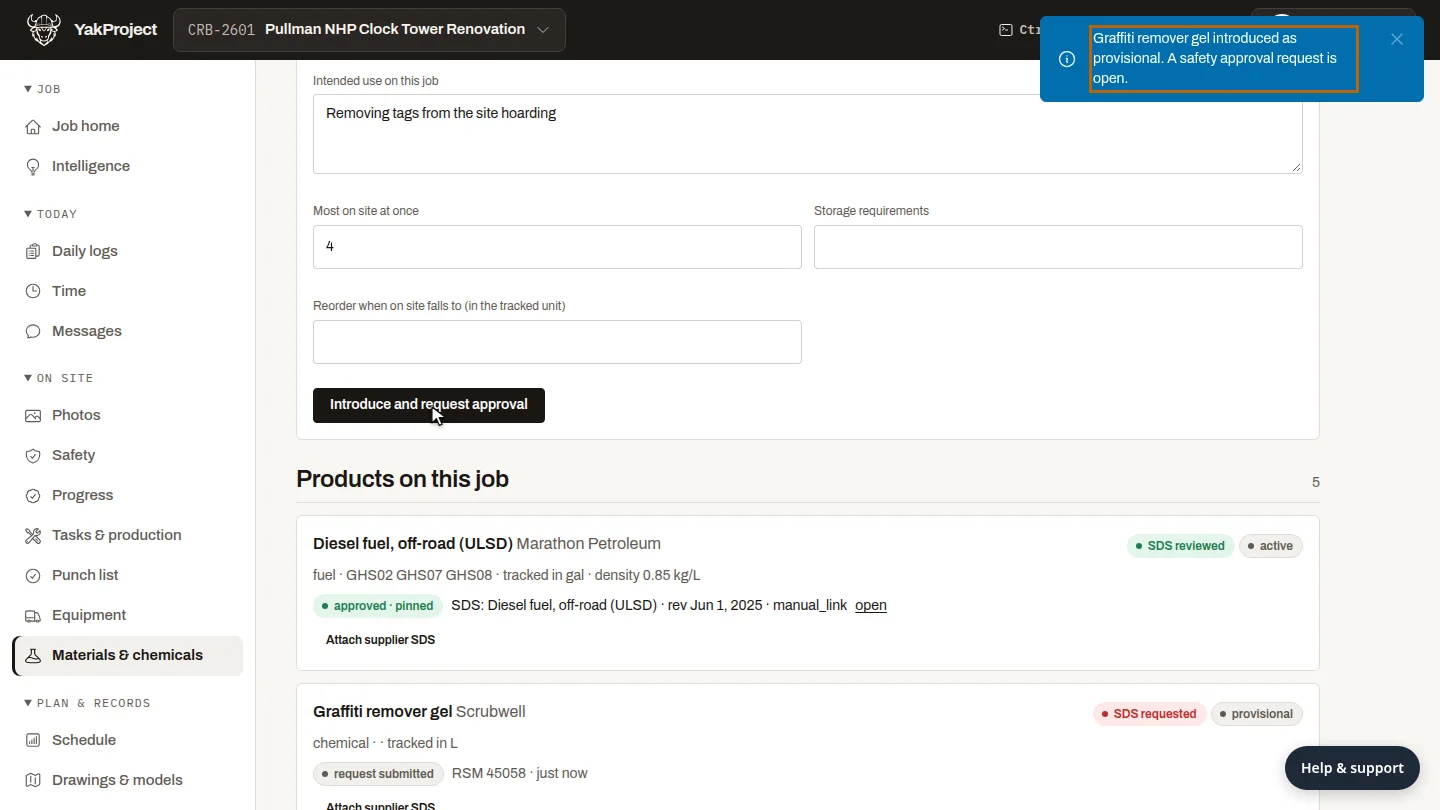
Say why it's on this job and the most you'll keep on site, then select Introduce and request approval. A safety approval request opens.
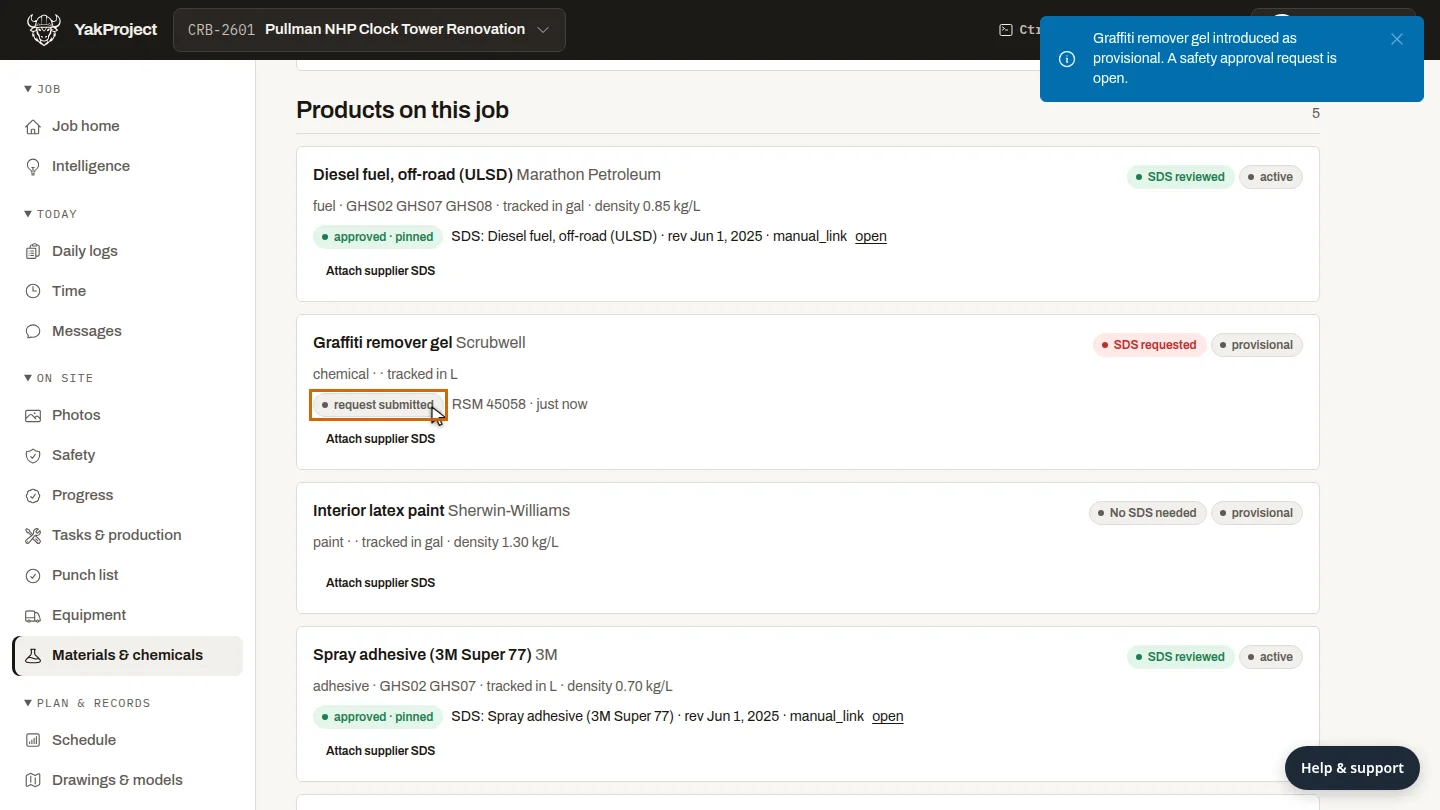
The product is listed as provisional. With no sheet in the library, YakProject asked ReferenceSearchManager to find one for your review.
Steps
Search the SDS library ▶ 0:08
On Chemicals & SDS, enter the product in Product, manufacturer, SKU or CAS number and select Search library. If the sheet appears, select Use this revision.
Describe the product ▶ 0:19
Enter the Product name and choose the Manufacturer (select Add new if it isn't listed). Leave Hazardous (needs an SDS) on for anything with a hazard label.
Introduce it for approval ▶ 0:29
Enter Intended use on this job and Most on site at once, then select Introduce and request approval.
Check the SDS request ▶ 0:39
Under Products on this job, the product shows SDS requested with the search request. If no request was sent, select Request SDS search. Optional: select Attach supplier SDS to add the supplier's copy for review.
Next steps
Updated 2026-11-04
SDS safety data sheet HazCom COSHH chemical register MSDS