How to keep the emergency inventory ready in YakProject
Responders need to know what is stored where, and how recently it was confirmed, even if the site has no signal. The emergency inventory lists every substance by location with hazards, quantities and SDS links, and can be printed or kept on a phone.
Before you start
- Anyone who can read the register, or an emergency viewer on the job
Preview voice Narrated with a local preview voice; the final recording replaces it.
Transcript
Keep the job's chemicals, listed by location, ready for responders, even when the site has no signal.
Open Emergency inventory. Each storage location lists its substances, hazards and quantities, and when each figure was last confirmed. Stale counts are flagged.
On a phone or tablet the site team controls, select Keep an offline copy on this device. The page then opens without the internet and shows when it was saved.
Select Print or save as PDF for a dated copy to keep in the site office or the fire box. The PDF and CSV buttons download the same list.
Steps
Check the inventory ▶ 0:08
In the sidebar, select Materials & chemicals, then Emergency inventory. Check each location's substances, quantities and Last confirmed dates; stale marks counts that may be wrong.
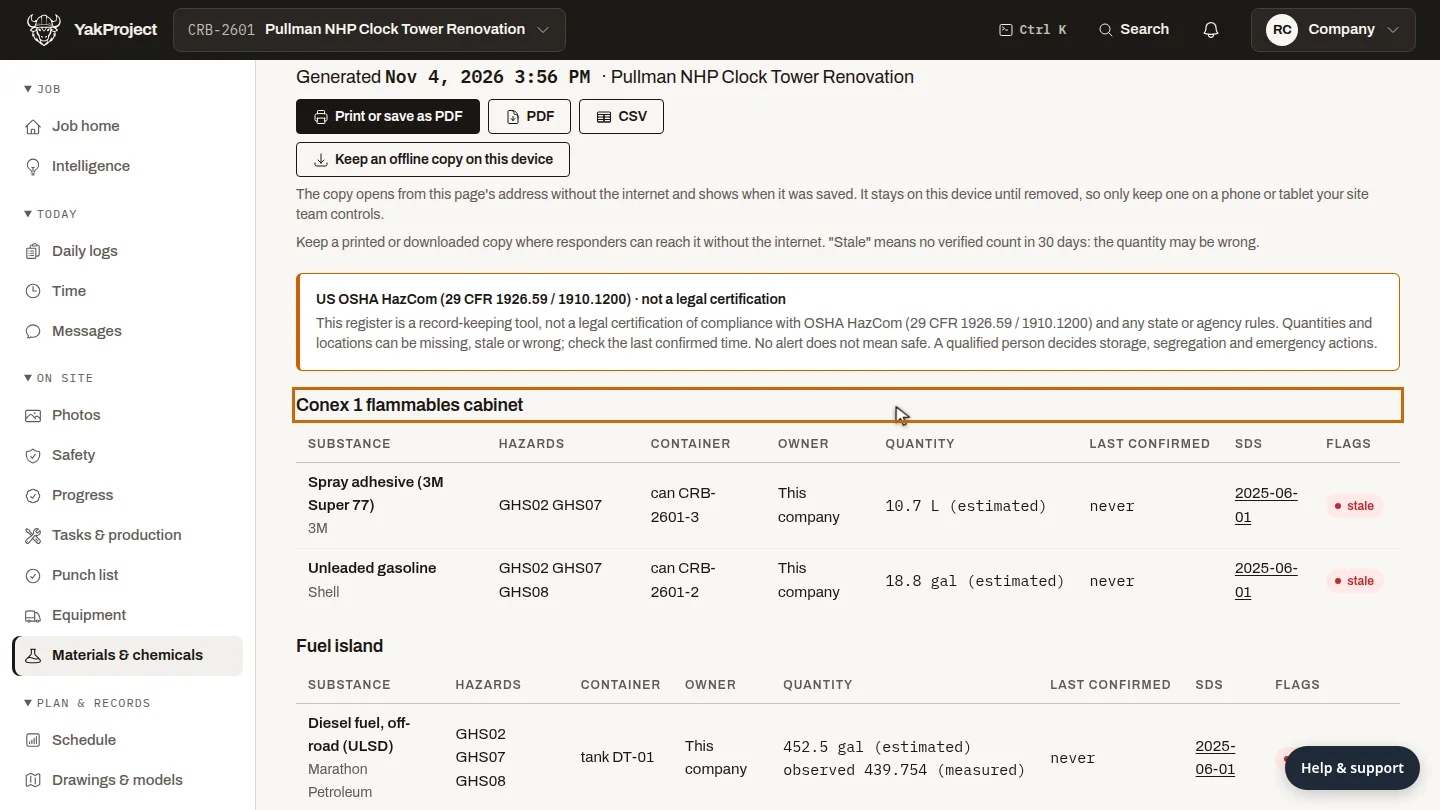
Keep an offline copy ▶ 0:20
On a device your site team controls, select Keep an offline copy on this device. The page then opens from the same address without the internet and shows when it was saved.
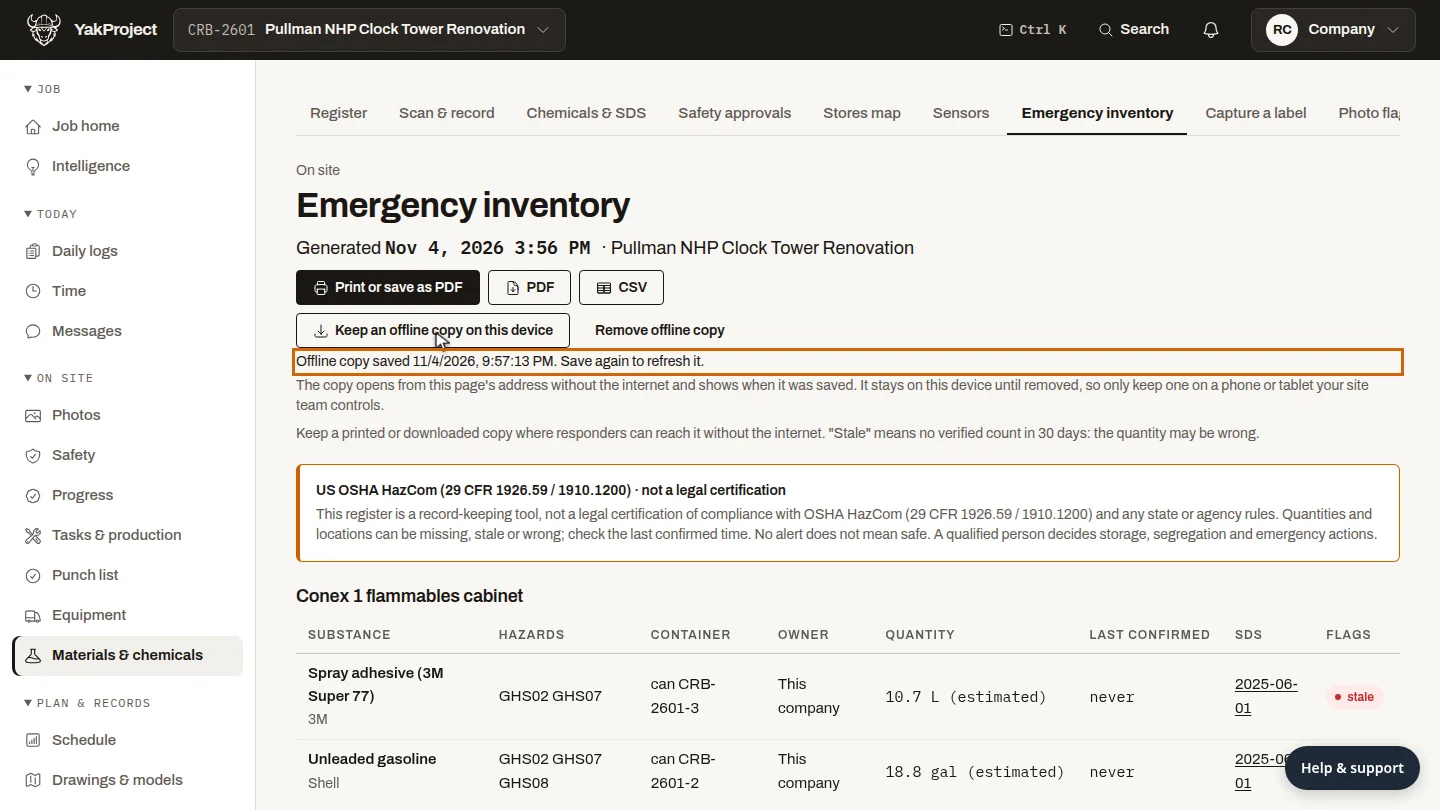
Print a copy ▶ 0:31
Select Print or save as PDF. A dated print view opens in a new tab: print it, or save it as a PDF from your browser. Or download the PDF or CSV.
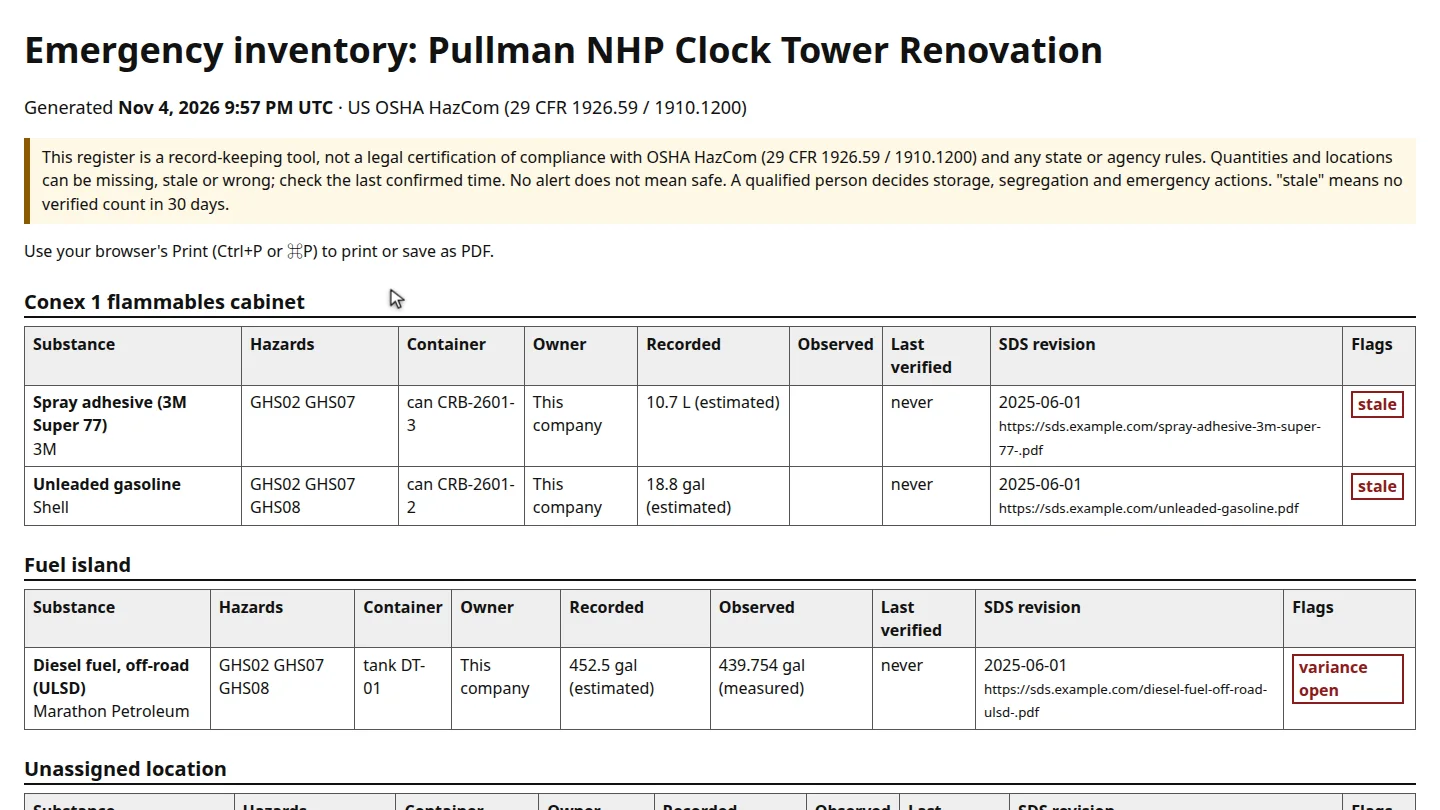
Next steps
Updated 2026-11-04
emergency fire marshal Tier II HazCom offline responders